What is the best gaming phone? A BGMI player's hard lesson
Final circle. Miramar ridge. Three squads alive. Your thumb drags for the spray transfer — and the screen answers half a beat late. Not a full freeze. Worse. A tiny stutter. A dead-touch twitch. One frame dip at the exact second the enemy swings wide.
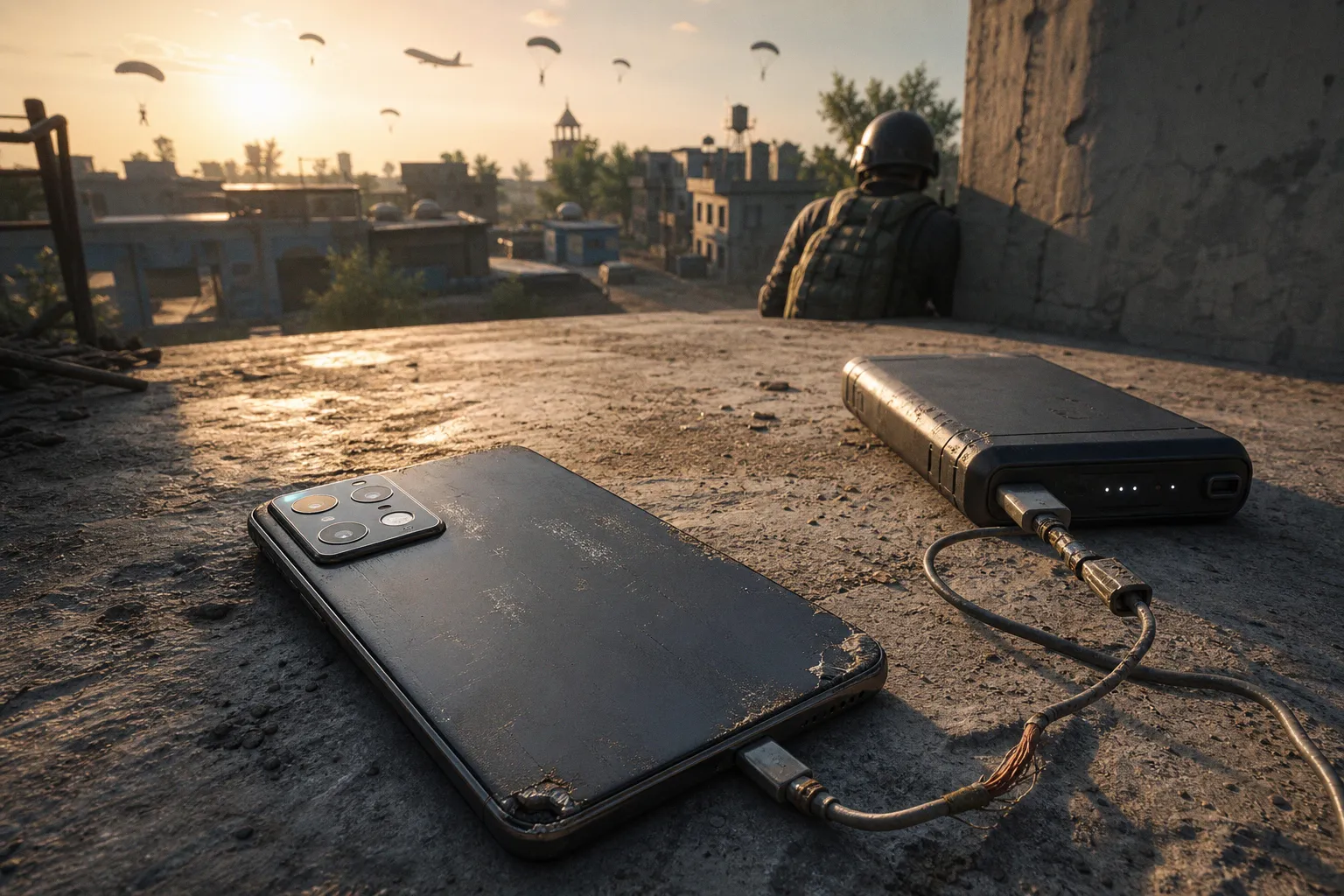
That is the hard lesson behind the question every BGMI grinder asks: what is the best gaming phone? It is not always the one with the loudest benchmark score. It is the one that stays fast after 20 minutes, when the battery is warm, the lobby is sweaty, and your squad is screaming for a revive rotation through smoke.
In India’s mobile esports grind, the difference between a good phone and a real BGMI weapon is not cosmetic. It is touch response. Sustained FPS. Heat control. Display clarity. Battery stability. The stuff that does not look flashy on a product poster — but wins or wipes fights.
Beyond benchmarks: why thermal throttling ruins your rank
We all know the trap. A phone drops a monster AnTuTu number, Twitter goes wild, and suddenly everyone calls it the next scrim king. Then you run BGMI for one hour. Smooth at first. Clean drops. Fast looting. Then the device heats up, the chipset pulls back power, and your so-called beast starts playing like it has ankle weights.
That is thermal throttling. And in BGMI, it is brutal.
A raw benchmark is a sprint. BGMI is a scrim block. Different fight. Different pressure. A phone can spike hard for five minutes and still collapse in a real session with hot palms, voice chat running, screen brightness up, 5G active, and your charger nearby like a bad idea.
For competitive BGMI, sustained performance matters more than peak performance. Say it louder for the back row.
A gaming phone is not the one that hits the highest number once. It is the one that refuses to choke in the fourth match.
This is why phones with proper thermal systems keep showing up in serious conversations. The ASUS ROG Phone 8 Pro, for example, runs the Snapdragon 8 Gen 3 and uses a dedicated GameCool 8 thermal system. That matters because BGMI at high frame rates is not just GPU muscle. It is heat discipline. It is whether the device can keep pushing frames without panic-throttling when the match gets messy.
And the mess always comes.
Hot drop in Pochinki. Two squads contesting School. Late-game smoke spam near Georgopol crates. Vehicles exploding. Audio cues everywhere. Your processor and GPU are not chilling. They are in a full-send brawl.
A proper gaming phone controls three things at once:
- Internal heat build-up, because chipset temperature decides how long top performance survives.
- Surface temperature, because sweaty thumbs and hot glass are a recipe for aim drift.
- Power draw, because a phone that burns battery too aggressively often starts protecting itself early.
This is where many “almost gaming” phones get exposed. They feel sharp for classic mode casuals. They may even look decent in a short gaming phone performance test. But in actual ranked sessions, the drop-off is clear: frame pacing gets uneven, touch response feels rubbery, and recoil control becomes less consistent.
You do not lose because the phone is unusable. You lose because it becomes unpredictable. That is worse.
The 90 FPS standard: display specs that actually impact aim
Let’s cut through the spec-sheet smoke. For BGMI in 2024, a serious gaming phone should be built around a high refresh rate display. The working standard is at least 120Hz, with gaming-first devices pushing higher — 144Hz or even 165Hz in some cases.
But here is the catch: refresh rate alone does not win your fight.
Refresh rate is how often the screen updates. Touch sampling rate is how often the screen listens to your fingers. For competitive BGMI, the display should have at least 300Hz touch sampling, and many gaming phones go much higher — into the 720Hz zone.
That difference is not marketing fluff when you are doing micro-corrections with a 3x spray. It affects how quickly the device registers your drag, peek, crouch, scope, and fire input.
Think of it like this:
| Spec | What it does in BGMI | What competitive players should look for |
|---|---|---|
| Refresh rate | Makes motion look smoother and easier to track | 120Hz minimum; higher is nice if BGMI support aligns |
| Touch sampling rate | Makes finger input feel faster and more direct | 300Hz minimum; 480Hz–720Hz feels sharper |
| Frame rate support | Determines how many frames BGMI can actually output | 90 FPS support on official supported devices |
| Brightness and panel quality | Helps visibility in outdoor or bright rooms | Strong sustained brightness, not just peak claims |
| Touch stability | Keeps inputs consistent during heat and sweat | No ghost touches, no random delay under load |
The dream setup is simple: high refresh panel, high touch sampling, stable 90 FPS, and no dramatic heating. That combo gives you cleaner tracking and faster reactions. It makes close-range fights feel less like gambling.
Now, about 90 FPS.
BGMI supports 90 FPS gameplay on specific high-end devices, but players need to be careful here. The game’s official support list changes through updates, and not every powerful phone gets the option immediately. Do not buy purely because someone posted a screenshot from a beta build or a “settings unlocked” clip. If you are building for competitive play, the device must be known to support the BGMI frame-rate option you actually want.
And no, forcing settings through hacks or shady tools is not the move. That is how accounts get cooked, performance gets unstable, and your “upgrade” becomes a headache.
Snapdragon 8 Gen 3, 8s Gen 3, and the real chipset fight
The Snapdragon 8 Gen 3 is the current flagship monster in the 2024 cycle. It brings top-tier CPU and GPU performance, and in the right body — with the right cooling — it can drive elite BGMI sessions. Phones like the ROG Phone 8 Pro sit in that top bracket because they combine the chip with gaming-first engineering.
But here is where the scene gets spicy: chipset names do not tell the whole story.
A Snapdragon 8 Gen 3 in a thin, heat-trapped body may not behave like a Snapdragon 8 Gen 3 in a phone built to breathe. Same silicon. Different warzone.
The Snapdragon 8s Gen 3 also enters the conversation for players who want flagship-class performance without always paying full ultra-flagship money. It can be a strong pick when paired with a good cooling design and high-refresh display. Again, the surrounding hardware decides whether it becomes a clutch machine or a warm disappointment.
Then there is iQOO.
iQOO devices, especially the iQOO 12, get attention in BGMI circles because they are tuned hard for performance. The iQOO 12 uses a dedicated Supercomputing Chip Q1, which helps with frame interpolation and power efficiency. Translation for the squad: it is designed to keep gaming visuals smoother while managing load better.
That does not automatically make every iQOO phone the best gaming mobile in India. But it does explain why iQOO keeps appearing in performance discussions. The brand has leaned into gaming stability, not just pretty glass and camera talk.
A smart BGMI buyer should judge the chipset package like this:
1. Peak power: Can the chip push high frame rates without sweating immediately?
2. Sustained output: What happens after 30–45 minutes of classic matches?
3. Thermal design: Does the phone have actual cooling architecture or just hopeful marketing?
4. Battery behavior: Does it drain like a cracked bucket during high FPS?
5. Game optimization: Does BGMI officially support the device’s best frame settings?
This is where many buyers get baited by raw numbers. A benchmark score can show potential. It cannot show the full match.
Specs start the fight. Thermals finish it.
Top gaming phones for BGMI: how the front-runners separate themselves
Let’s keep it clean. The “best” phone depends on your budget, grip, usage, and whether you play ranked casually or grind customs like every match is a LAN final. But the top gaming phones for BGMI tend to win in the same zones: chipset strength, cooling, touch response, battery, and official frame-rate support.
Here is the practical way to read the current field.
| Phone type | Why it works for BGMI | Watch-out |
|---|---|---|
| Dedicated gaming flagships like ASUS ROG Phone 8 Pro | Snapdragon 8 Gen 3, gaming cooling systems, high-refresh displays, tuned performance modes | Premium pricing; gaming design may not suit everyone |
| Performance-first flagships like iQOO 12 | Strong chipset tuning, Supercomputing Chip Q1, aggressive gaming optimization | Check current BGMI 90 FPS support before buying |
| Snapdragon 8s Gen 3 performance phones | Flagship-like gaming at potentially lower cost | Cooling varies heavily by model |
| Upper mid-range phones with cooling support | Good value if paired with external cooler and stable display | May throttle sooner; GPU headroom is lower |
| Budget 5G phones | Fine for casual play, comms, social gaming | Many cannot hold high FPS; 5G does not equal gaming power |
That last line needs a red marker around it. Not all 5G phones are gaming phones. India’s phone market is packed with budget 5G devices, and some are excellent for everyday use. But BGMI at high FPS demands GPU strength, thermal control, and touch quality. A phone can download fast and still lose frames like a panicked squad in an open field.
If you are chasing the best gaming mobile in India for BGMI, do not ask only, “Which processor?” Ask, “What happens after three matches?”
Because that is the truth window.
A strong phone should stay playable across a full session without forcing you into weird habits: lowering brightness every fight, removing the case mid-match, aiming a table fan at the back panel, or taking cooldown breaks after every classic game. We have all done some version of this madness. But when a phone is built right, you do less babysitting and more fragging.
Active cooling and accessories: the secret weapon for sustained performance
Phone coolers are not just streamer desk decoration anymore. In India’s heat, especially if you play in a warm room or during long evening sessions, active cooling can be the difference between steady sprays and a frame-drop funeral.
Peltier-based external coolers can reduce surface temperatures by roughly 10–15°C. That is not a tiny change. That can hold back thermal throttling on mid-range devices and keep flagship phones more comfortable during long sessions.
But use them smartly.
A cooler is not magic. It helps the back panel shed heat, but it cannot fix a weak GPU, poor software optimization, or a phone that does not officially support the frame-rate mode you want. It also adds bulk. Some coolers interfere with grip. Some block volume buttons. Some make wired earphone routing messy. Classic accessory chaos.
Still, for BGMI grinders, cooling accessories deserve respect.
A sensible loadout looks like this:
- Peltier phone cooler for long ranked sessions, scrims, or customs where sustained FPS matters.
- Low-latency gaming earbuds if you rely on footsteps, vehicle audio, and close-range directional cues.
- Thin, touch-friendly screen protector because thick glass can change how triggers or thumb sleeves feel.
- Finger sleeves if sweat ruins your drag control during high-pressure fights.
- External triggers only if your grip allows it, and never assume they will work perfectly with every screen protector or bulky case.
Triggers are a funny one. Some players swear by them. Some feel trapped. If your muscle memory is pure four-finger claw, you may not need them. If you are moving from two-finger to a more serious layout, triggers can help — but they are not a substitute for aim training, recoil control, or map sense.
The real accessory MVP remains cooling. Especially for players using upper mid-range phones. A decent cooler can extend the phone’s best performance window and stop that ugly mid-session dip.
But please, no charger-plus-hot-phone nonsense if you can avoid it. Charging while gaming adds heat. Heat invites throttling. Throttling ruins fights. It is a cursed rotation.
The Krafton supported devices list: the detail players skip until it hurts
This is where many buyers take a wipe before the match even starts.
BGMI’s 90 FPS option is not universal. It depends on device support, game updates, and Krafton’s official compatibility. A phone may have a 144Hz display and a powerful chipset, but if BGMI does not expose the 90 FPS setting for that model, you are stuck waiting.
That hurts when you bought the phone specifically for competitive play.
Before you spend, check whether the device is known to support 90 FPS in BGMI at the time of purchase. Not last year. Not from an old YouTube video. Current. Because support changes. Updates roll out. Some models get added. Some behave differently after software patches.
And remember: high refresh rate gaming phones are only as useful as the game support behind them. A 165Hz panel looks fantastic in the UI and supported titles, but BGMI will only run within the frame-rate options available to that device.
The proper buying flow for BGMI is not glamorous, but it saves pain:
1. Shortlist phones by chipset and cooling, not just brand hype.
2. Confirm BGMI frame-rate support, especially 90 FPS availability.
3. Check sustained performance reviews, not just launch-day benchmarks.
4. Look for touch sampling rate above 300Hz, because input response matters in every duel.
5. Consider battery size in the 5000mAh–6000mAh range, especially if you play long sessions.
6. Watch thermal behavior, because a cooler phone is usually a more consistent phone.
7. Test grip and weight if possible, because a powerful brick can still ruin your claw setup.
That last point is underrated. A heavy gaming phone with sharp edges may feel powerful for five minutes and exhausting after four matches. Grip comfort affects aim. Thumb reach affects movement. Button placement affects panic fights. Competitive mobile gaming is physical. Tiny ergonomics become huge when the zone closes.
So, what is the best gaming phone for BGMI?
If we are talking pure competitive logic, the best gaming phone for BGMI is a flagship or near-flagship device that can deliver stable 90 FPS, high touch response, and controlled thermals across long sessions.
Right now, phones built around Snapdragon 8 Gen 3 sit at the top of the performance fight, with devices like the ASUS ROG Phone 8 Pro showing why gaming-specific cooling still matters. The iQOO 12 also deserves its noise because of its performance-first tuning and Supercomputing Chip Q1. Snapdragon 8s Gen 3 phones can be strong value picks, but only if the cooling and BGMI support line up.
The wrong answer is: “Buy the highest benchmark phone.”
The better answer is: “Buy the phone that stays fast when the lobby gets ugly.”
For most serious BGMI players in India, the winning formula is clear:
- 120Hz or better display
- 300Hz or higher touch sampling
- Official 90 FPS BGMI support
- Flagship-grade chipset, ideally Snapdragon 8 Gen 3 or strong 8s Gen 3 implementation
- Real thermal management, not just a big performance claim
- 5000mAh–6000mAh battery range for long sessions
- Optional active cooler for heat-heavy grinds
If your budget allows a dedicated gaming flagship, you get the cleanest path: stronger cooling, gaming software modes, aggressive touch tuning, and fewer compromises. If your budget sits lower, go performance-first and spend smartly on a cooler. Do not chase camera bragging rights if your main battlefield is Erangel.
BGMI does not care about your spec sheet flex. It cares whether your phone can hold the frame, read the touch, and stay calm when three squads crash the same compound.
That is the real answer to what is the best gaming phone: the one that lets your skill show up without the hardware throwing the round. So when the next drop goes hot, when the smoke blooms, when the last enemy wide-swings with a DBS — will your phone clutch with you, or will it be the first one knocked?